
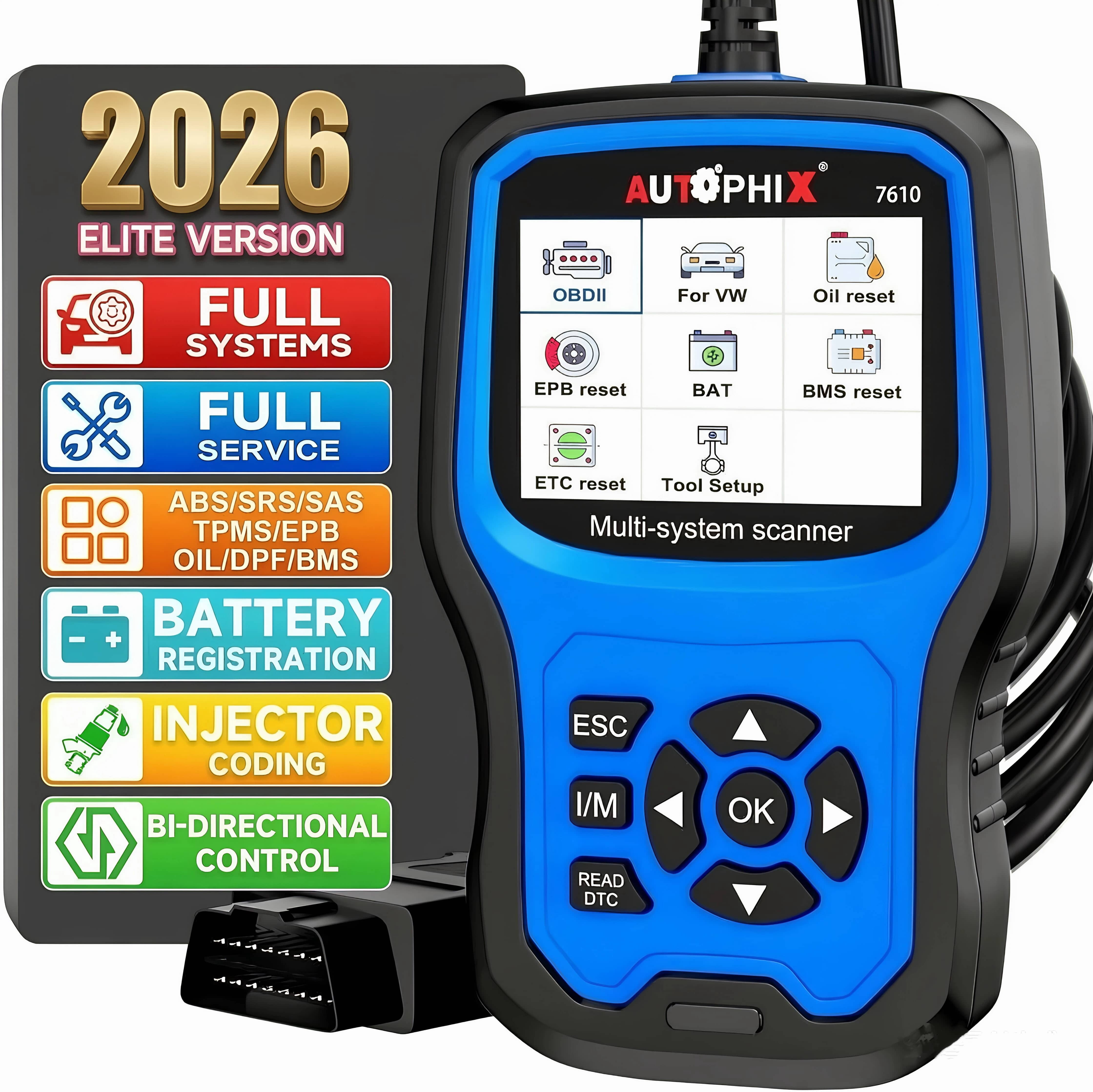
Autophix 7610 Automotive OBD2 Scanner Car All System Diagnostic Tool Code Reader Oil EPB Reset
Product details
| Management number | 231101264 | Release Date | 2026/06/18 | List Price | US$34.00 | Model Number | 231101264 | ||
|---|---|---|---|---|---|---|---|---|---|
| Category | |||||||||
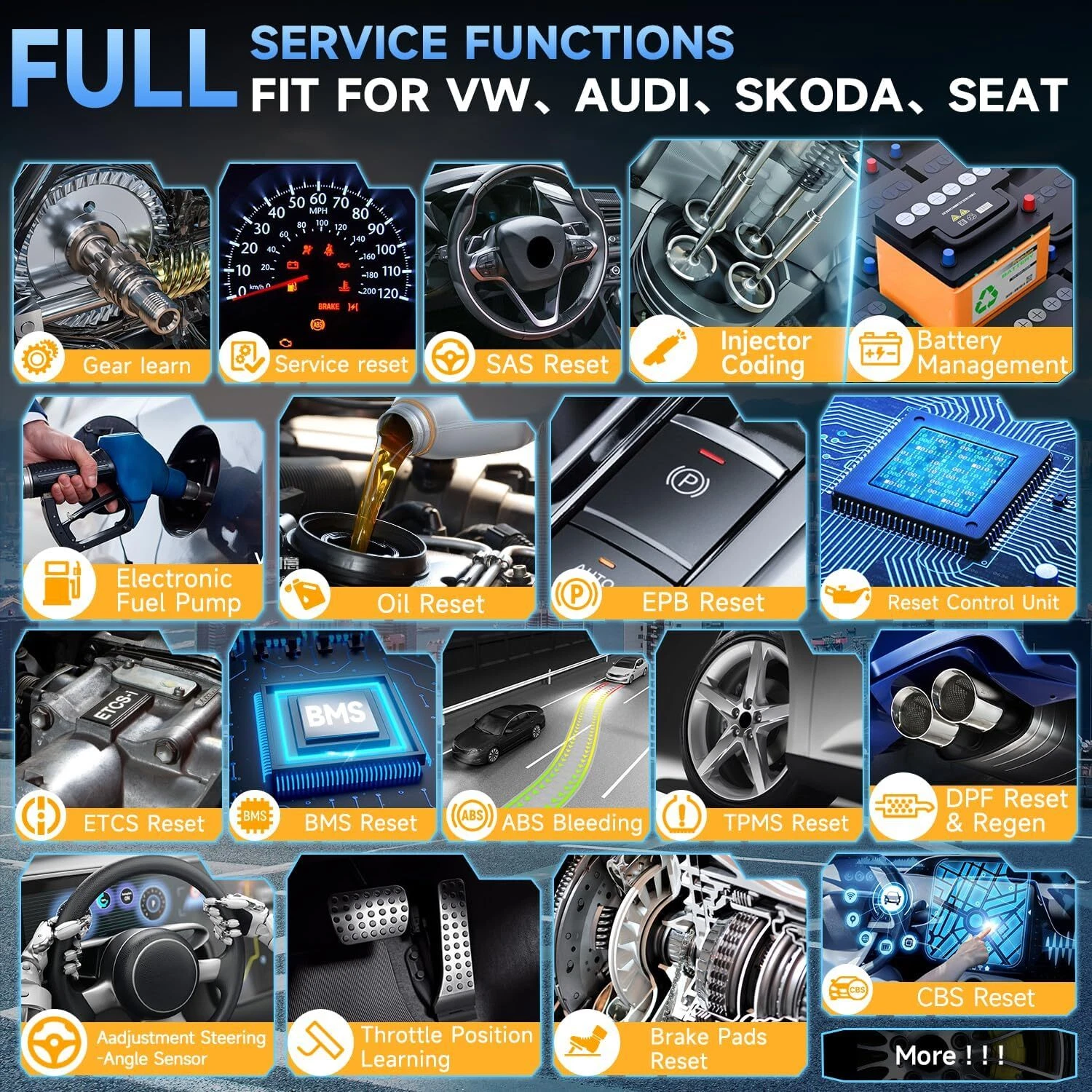
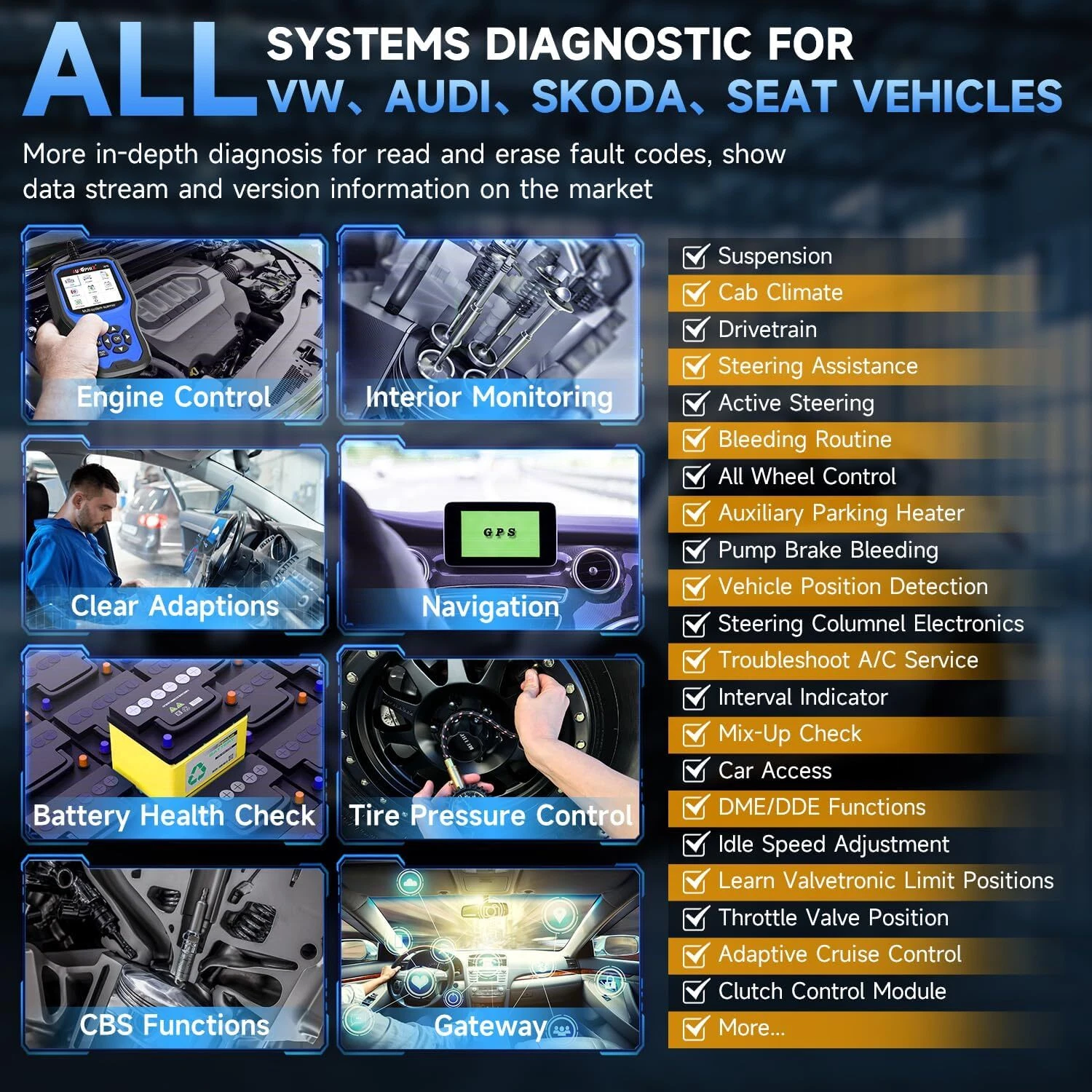
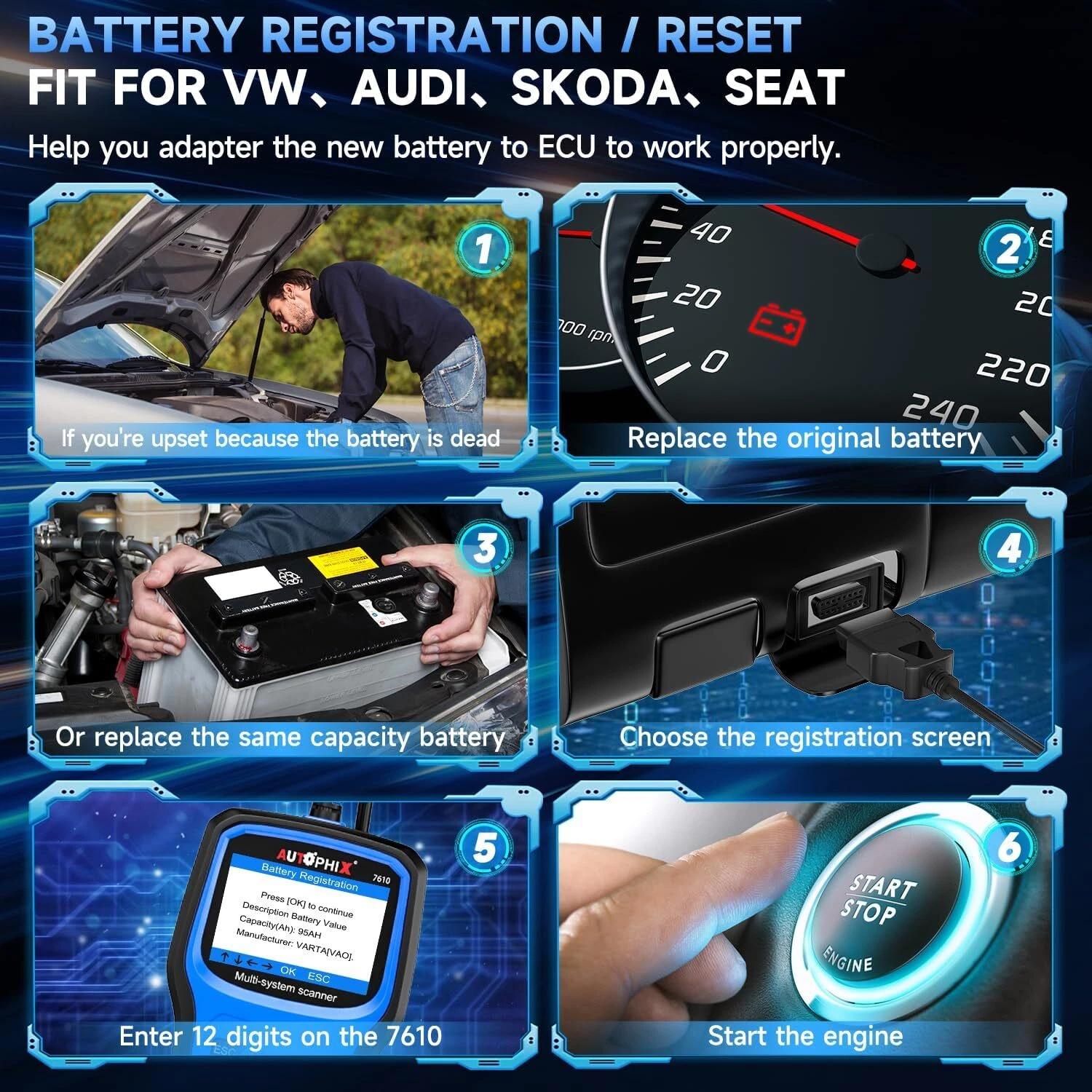
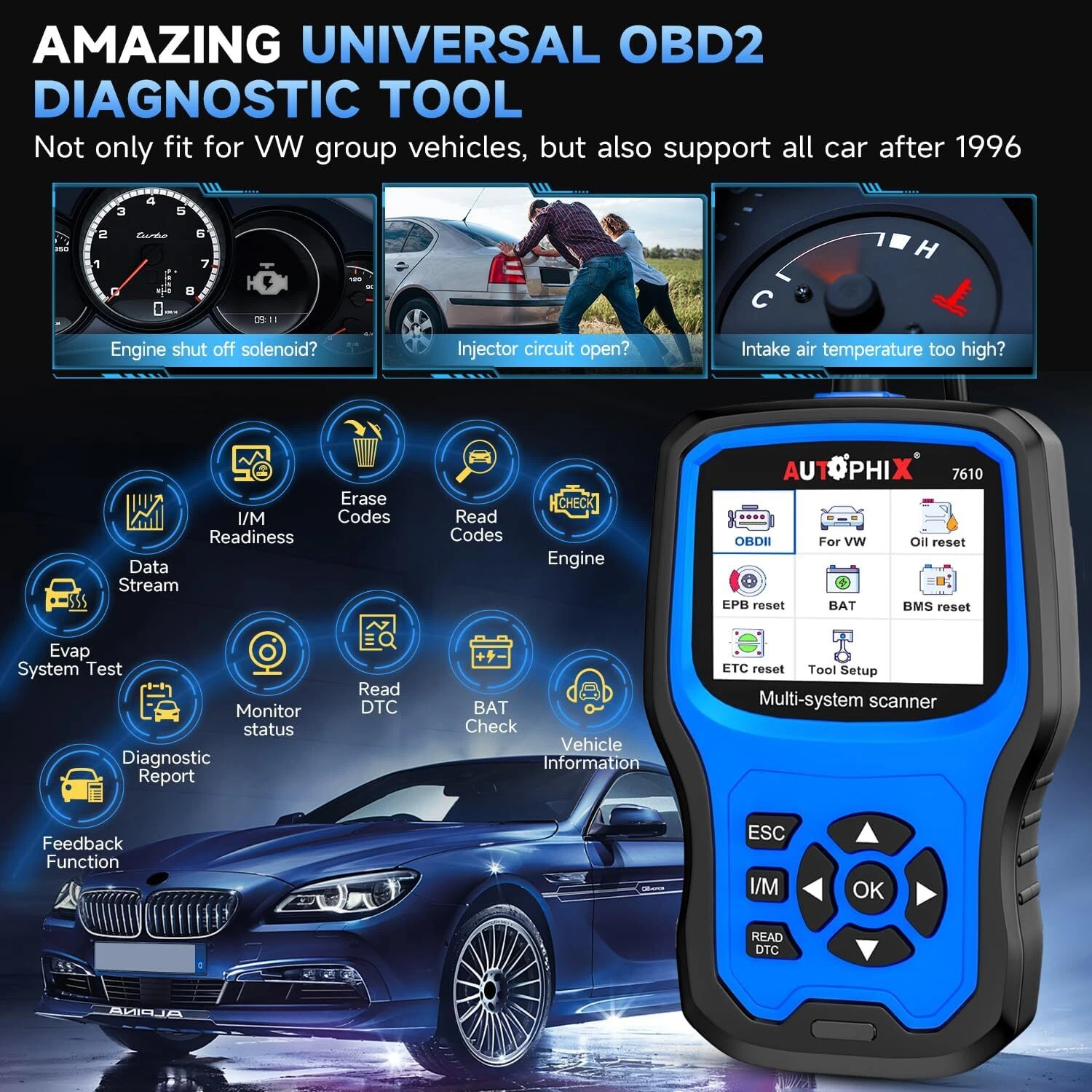
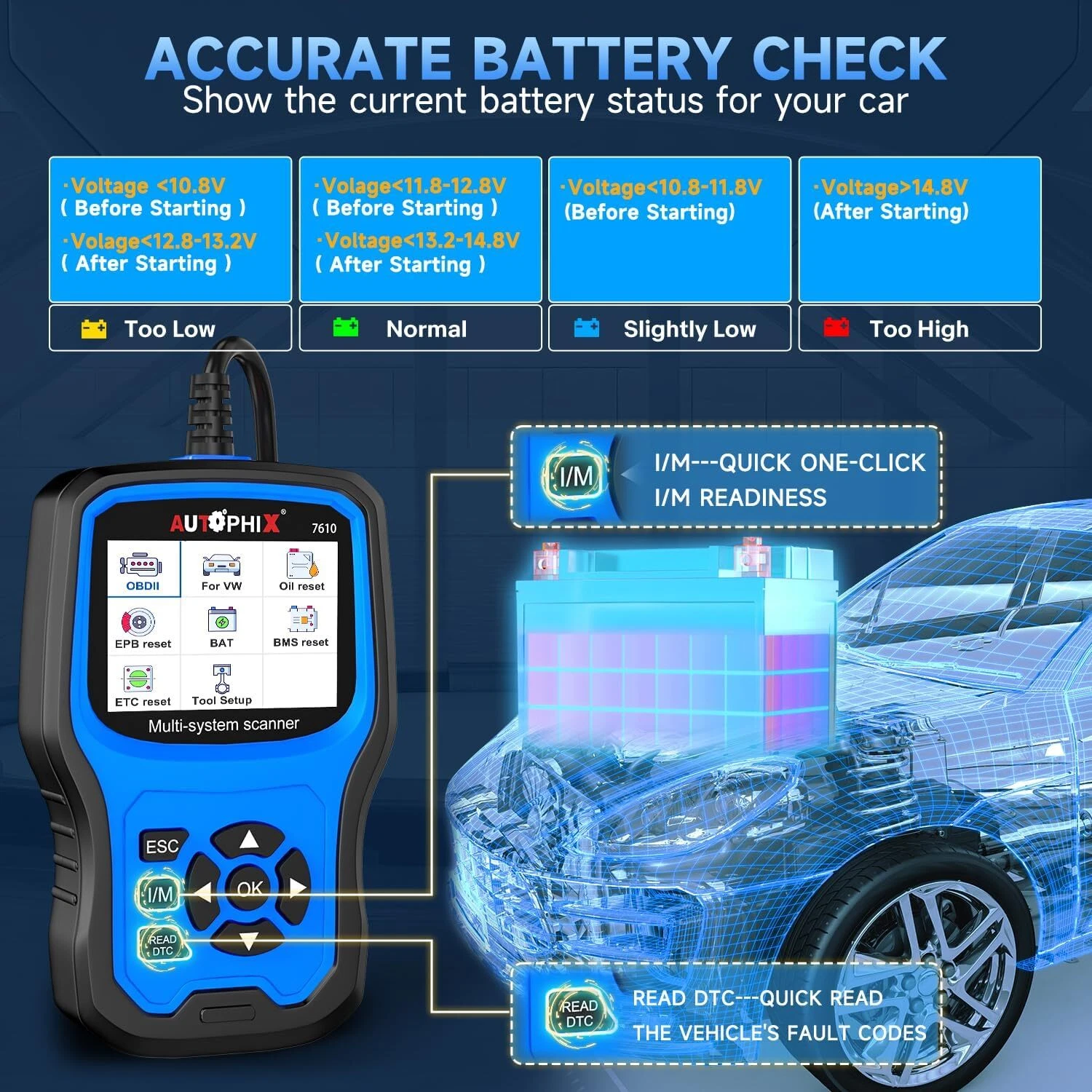
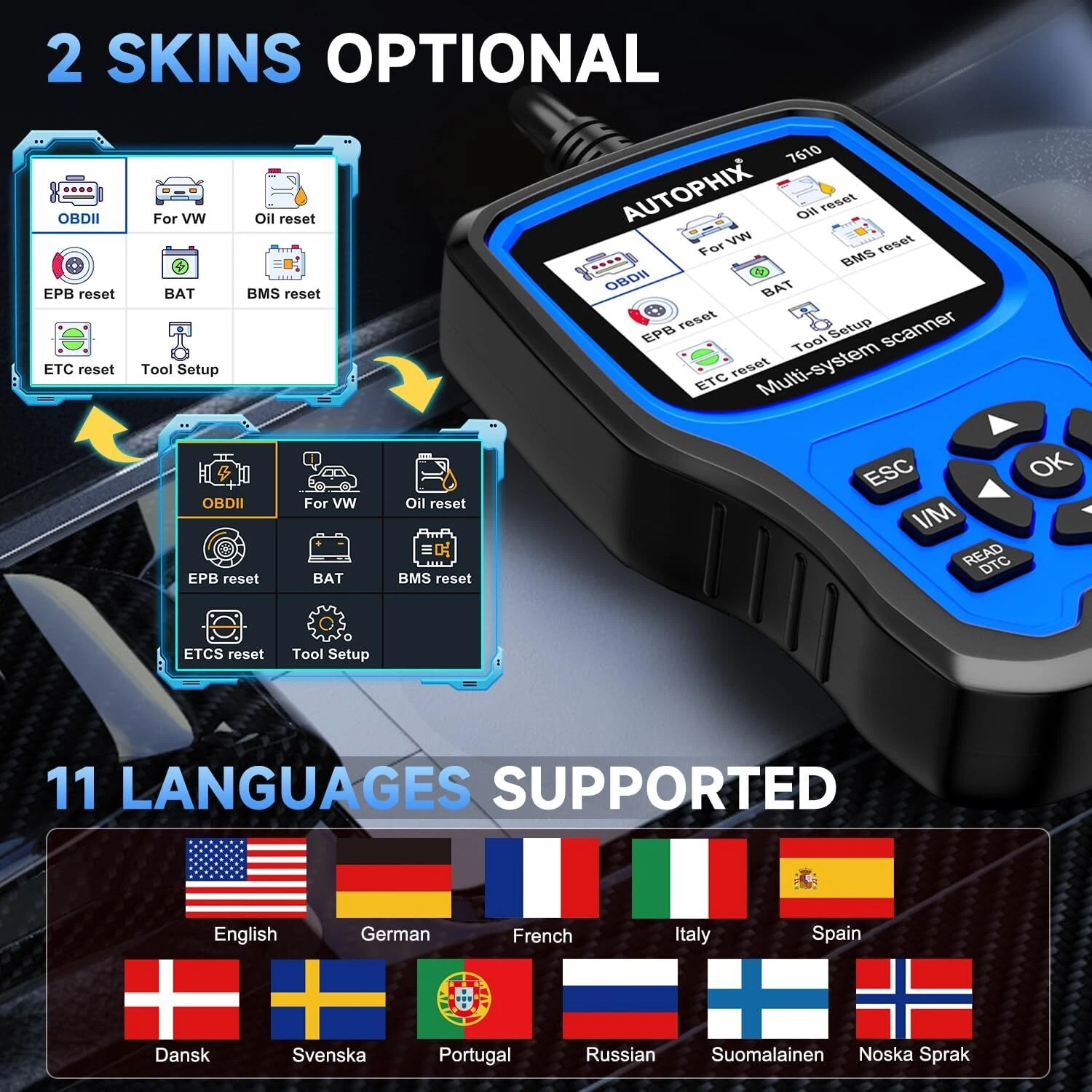
<p>Autophix 7610 is the powerful handheld car OBD2/EOBD full system diagnostic scanner,special design for 12V 16pin for VW, Audi, Skoda, Crafter, Seat, BUGATTI, LAMBORGHINI, BENTLEY cars.</p> <p> </p> <h2>🔔Why Choosing Autophix 7610 OBD2 Auto Scanner?</h2> <p>➤Full Systems Diagnostic for VW/AUDI/SKODA/SEAT</p> <p>➤10+ Special Reset Function</p> <p>➤Full OBDII Function</p> <p>➤Compatible with most Volkswagen Vehicles after 2001</p> <p>➤Lifetime Free Update</p> <h2> </h2> <h2>🔥Autophix 7610 Car Diagnostic Tool Special Functions:</h2> <p>1. Oil Service Reset</p> <p>2. TPA Throttle Position Adaption</p> <p>3. EPB Brake Pad Reset</p> <p>4. SAS Streeing Angle reset</p> <p>5. TPMS reset</p> <p>6. D-P-F reset</p> <p>7. Battery matching</p> <p>8. Injector co-ding</p> <p> </p> <p> </p> <h2>🔍Special Functions Supported Car Protocols: (Very Important)</h2> <p>1, KWP1281 Porotocl: Oil Service Reset, TP Position Check</p> <p>2, KWP2000 Protocol: Oil Service Reset, TP Position Check</p> <p>3, TP 20 Protocol: Oil Service Reset (oil service and inspection service,maintenance interval setting), TP Position Check , EPB Brake Pad Reset (2005-2012),BMS(Support system:19-Gateay 61-Battery Regulation 8C-Battery Energy Control),TPMS</p> <p>4, UDS Protocol: Oil Reset(oil service and inspection service, maintenance interval setting), TP Position Check, EPB Brake Pad Reset (2012-), BMS(Support system:19-Gateay 61-Battery Regulation 8C-Battery Energy Control), D-P-F, TPMS For EBP Reset Funtion: The Touareg UDS protocol has a special operation process ,please contact us get instructions.</p> <h3>Notice:</h3> <p>If you focus on Special fucntion , please contact us to confirm , thanks.please leave message as below: xx car brand, xx car model,xx car release year.</p> <p> </p> <h2>🚗Supports models</h2> <p>➤ For Volkswagen car series :(before 2019)</p> <p>➤ For Audi car series :(before 2019)</p> <p>➤For Skoda car series :(before 2019)</p> <p>➤For SEAT car series (before 2019) :</p> <p>➤For Volkswagen commercial vehicle and truck Series: Caddy before2018/ Caddy Pickup -2002/ Crafter 2006-2017/ Crafter NF 2017-2018/ Transporter 2003-2018/ Amarok 2010-2018/ Multivan 2003-2009/ TGE 2017-2018</p> <p>➤For BENTLEY: Continental 2004-2019/ New Continental GT 2012-2018/ Continental Supersports 2012-2018/ Continental Supersports Convertible 2012-2018 / Continental Flying Spur 2012-2019/ Continental Flying Spur Speed 2012-2019 / Bentayga 2016-2019/ Mulsanne 2011-2019 / Brooklands 2009-2010 / Azure 2000-2010</p> <p>➤For LAMBORGHINI: URUS 2018-2019/ Gallardo 2008-2014 ,Gallardo NF / Huracan 2014-2018 Aventador 2012-2018</p> <p>➤For BUGATTI: Veyron 2001-2016/ Chiron 2017-2022</p> <p> </p> <h2>🎉How to register a battery with this car diagnostic tool for VAG vehicle?</h2> <p>In fact, it’s much easier than imagination. Here is the process step by step: Remove old battery -Install new battery -Enter a new battery digits code(Please correctly enter the digit battery code, Or it will affect the accuracy of the product). If you still have questions about battery replacement or other detail problems, just write to us, we’ll try our best to help you out.</p> <p> </p> <h2>🌐Multiple Languages</h2> <p>English. French, Spanish, German, Russian. Swedish.Portuguese, Finnish, Norwegian, Danish</p> <p> </p> <p> </p> <h3>📌1. How to get it start?</h3> <p>Simply plug into the OBD II port on your car and turn ignition on and you ready to go. It does not need any battery or charger, gets the power directly from the OBDII data link connector in your vehicle.</p> <h3>📌2. Why the vehicle linking error?</h3> <p>I: Confirm that the ignition is ON, check if the scan tool's connector is securely connected to the vehicle's DLC;</p> <p>II: Turn the ignition off and wait for about 10 seconds and turn the ignition back on and continue the testing;</p> <p>III: Verify the control module is not defective.</p> <h3>📌3. How can I change the LANGUAGE?</h3> <p>AUTOPHIX 7610 Works with English, German, French, Spanish, Finnish, Dutch, Russian, Sverige, Suomi, Norge, Dansk, and Portuguese, you can choose from the settings menu.</p> <h3>📌4. How can I change the brightness of the screen?</h3> <p>AUTOPHIX 7610 has Two skin style for choosing, you can choose white skin to enhance visibility during the day, and you can choose black skin to protect your eyes during the night. These functions can be implemented on the settings menu.</p> <p> </p> <h2>🎁Package List</h2> <p>1* Autophix 7610 OBD2 Scanner</p> <p>1* User Manual</p>
- 🌟【VEHICLE DOCTOR FOR VAG Group Vehicles】Autophix 7610 diagnostic scanner is capable of reading and clearing diagnostic trouble codes from all major systems including Engine, ABS, SAS, Gearbox, A-i-r-b-a-g, im-mo, TPMS, Reset oil service, Reset Fuel Pump, EGS Clear Adaptions, Force D-P-F Re-gen-eration, Replace D-P-F, Battery Health Check, Reset Electronic Parking Brake, Reset Steering angle Sensor, and so on.
- 🌟【POWERFUL SPECIAL FUNCTIONS】Battery registration, oil light service reset, Idle speed adjustment, fuel injection co-ding, C-O adjustment, clear adaptions, learn electronic limit Positions, Exhaust Gas Recycling, ABS Bleeding Routine, Mix-up Checks, IQA, Brake Lines, Adjustment steering-angle sensor, include more than 11+ special service functions of resetting/correcting, plus multilingual menu Options and code definitions.
- 🌟【FULL OBDII/EOBD DIAGNOSIS】Autophix 7610 Enhanced OBDII scanner can read and erase the trouble codes that can cause emission problems with your vehicle, turn off the MIL (check your car engine) and I/M readiness , read data stream, vehicle identification Info (VIN, CIN, CVN). Built in a DTC look up library you can find the related code definitions to help you determine if your car needs repair, save you time and money.
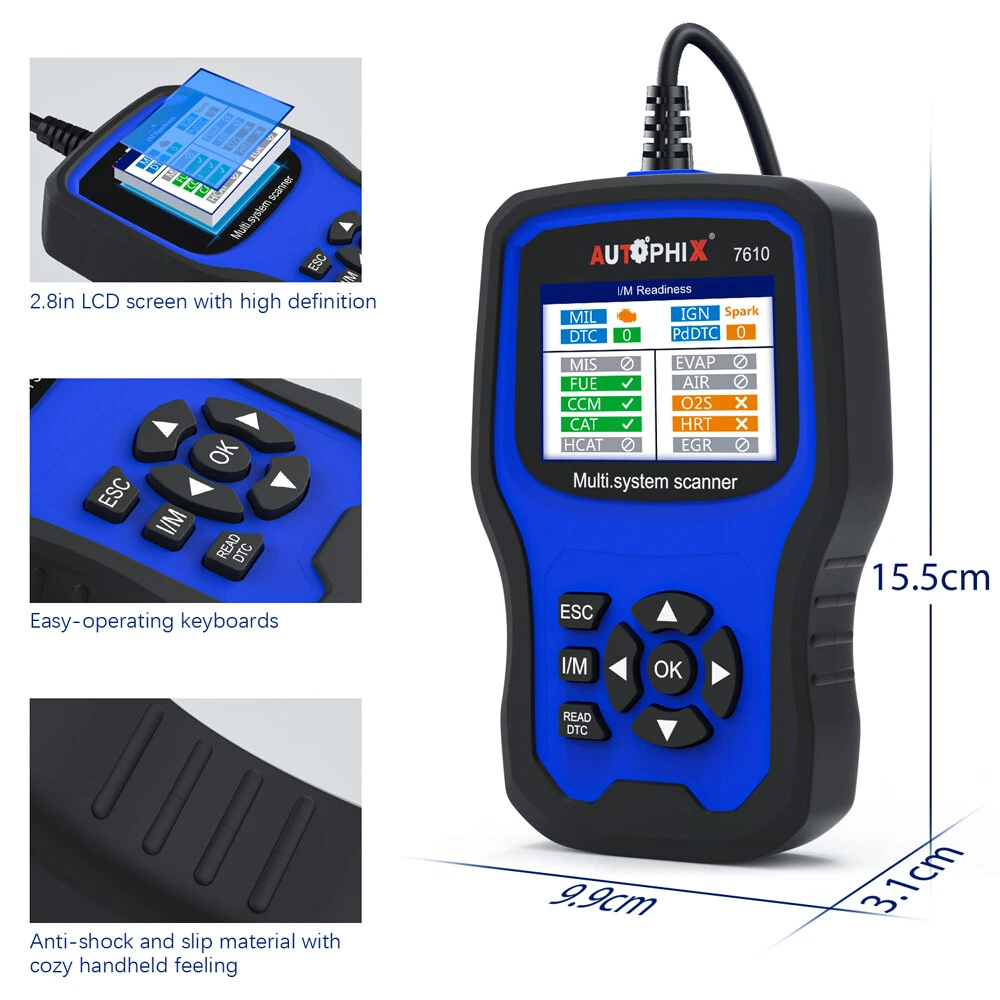
- 🌟【EASY TO OPERATE】Autophix 7610 car diagnostic scanner via 2. 8" TFT 262K true color LCD display screen to indicates the test results , with the silicone keypad you can easy to access the each of menu options, Rugged drop-proof case Prevent falling, the menu layout on the screen is easy to understand and you will no trouble to figuring out how to do what you needed.
- 🌟【LIFE-TIME FREE UPDATE】Autophix 7610 automotive scanner, you can enjoy life-time Free software upgrade, which let you stay current with the latest technology and add newest vehicles. Just download the software from Autophix website, then follow on-screen instructions to go. this professional scanner suitable for personal and auto repair shop.
| Automotive diagnostic tool type | OBD2 Enhanced |
|---|---|
| Brand | Autophix |
| Compatible cars | VW, Audi, Skoda, Seat, BUGATTI, LAMBORGHINI, BENTLEY |
| Vehicle fitment type | Specific |
| Vehicle type | Car |
| Vehicle make | VW |
| Features | Code Reader |
| Model | 7610 |
| Accessories | 1* Autophix 7610 OBD2 Scanner 1* User Manual |
| Items included | 1* Autophix 7610 OBD2 Scanner, 1* User Manual |
| Has written warranty | No |
| Power type | Battery |
| Extra battery included | N |
| Batteries incl | N |
| Color | Blue |

Bestseller ranking
Code Readers and Scan Tools

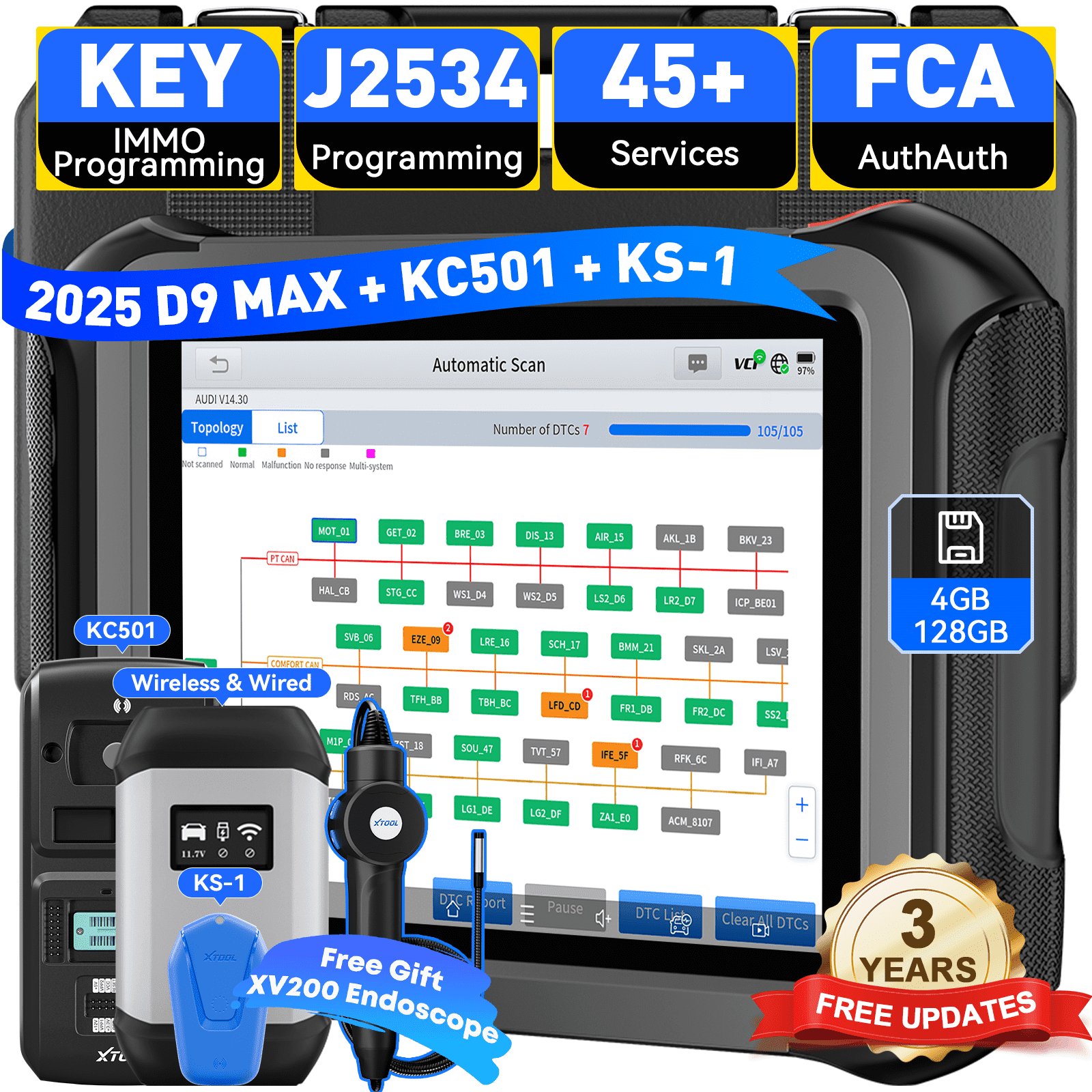
Customers who viewed this product also viewed
Slow Dog Feeders




Correction of product information
If you notice any omissions or errors in the product information on this page, please use the correction request form below.
Correction Request Form